Download ioSora Studio
Your local command center for AI-powered e-commerce automation. Sync, edit, and upload to Salla and Zid in seconds.
Installation Guide
Download the 1.9 GB installer using the button above. Ensure you have at least 6 GB of free storage space available on your drive for the installation files and local AI models to unpack correctly.
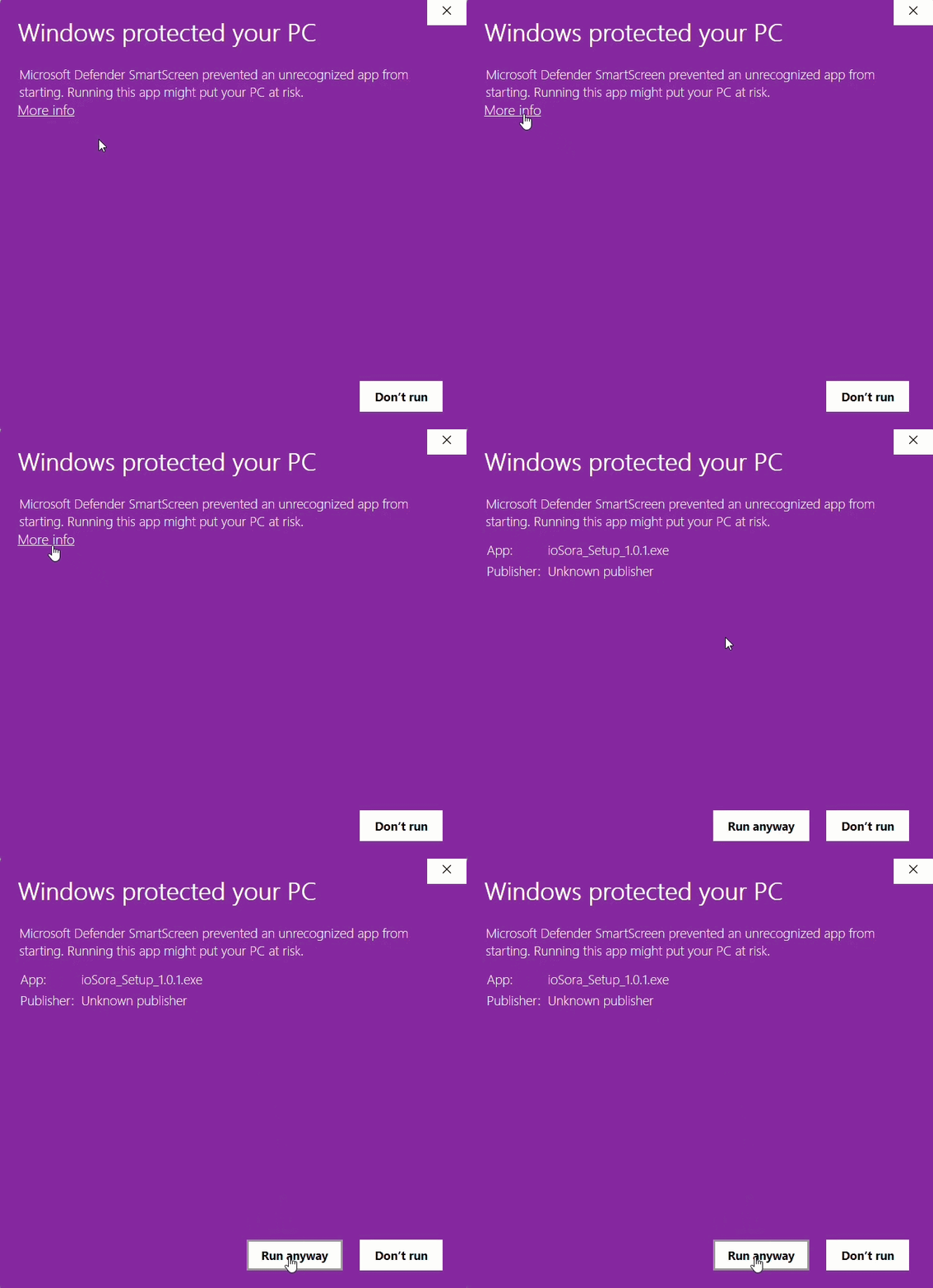
Because ioSora is a brand new release, Windows Defender SmartScreen might temporarily flag the installer with a blue "Windows protected your PC" popup. This is completely normal for new software. To proceed, simply click More info and then click Run anyway.
When you launch ioSora Studio for the first time, the Windows Defender Firewall may prompt you for network permissions. You must allow access to public networks. The software requires this connection to securely communicate with Salla, Zid, and receive live barcode scans from your ioSora Cam mobile app.
ioSora Cam Companion
Don't forget the mobile app! Turn your smartphone into a high-speed warehouse scanner. Scan product barcodes and capture raw images that instantly sync to your Desktop Studio.